Apache rewrite 설정
안녕하세요 오늘은 Apache rewrite 설정에 대해서 알아보겠습니다.
apache 를 설치하고
chh.co.kr 로 도메인 설정까지 완료 하고
chh.co.kr 로 호출했을때
http://chh.co.kr 이 아닌
https://chh.co.kr 로 자동으로 접속되게 하는 방법을 설명드리겠습니다.
*현재 저의 가상머신입니다.
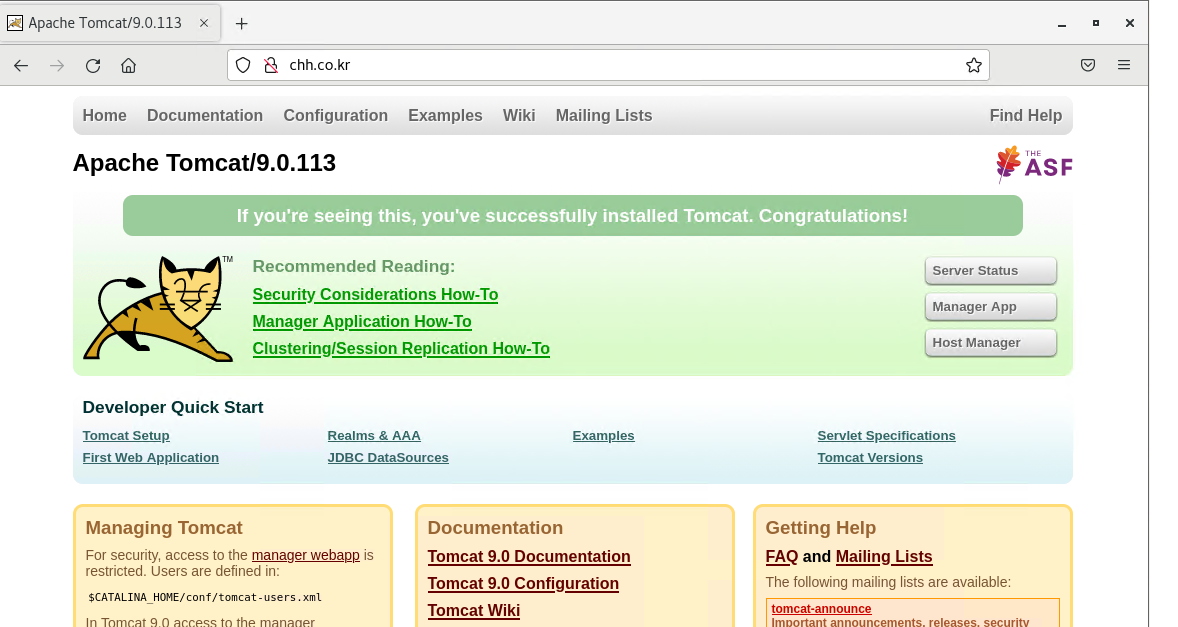
rewrite 미적용한 apache를 기동하고
chh.co.kr 로 접속하니 http://chh.co.kr로 접속이 됩니다.
이친구를 rewrite 적용을하고 호출해보겠습니다.
rewrite 모듈을 켜줍니다.
pwd
/home/hunhee/apache2.4/conf

#사소한 작업도 백업필수
cp httpd.conf httpd.conf_20260115

vi httpd.conf

#rewrite 모듈을 찾아서 주석해제 해주기
#rewrite 모듈이 없다면 아래 내용 추가
LoadModule rewrite_module modules/mod_rewrite.so

#저장후 종료
wq!
그런 다음 도메인 설정에 rewrite 설정을 해줍니다.
저는 httpd-vhosts.conf 설정에 들어가 있습니다.
*기존 httpd-vhosts.conf 설정

*변경 httpd-vhosts.conf 설정

pwd
/home/hunhee/apache2.4/conf/extra

#사소한 내용도 백업
cp httpd-vhosts.conf httpd-vhosts.conf_20260115

vi httpd-vhosts.conf

#호스트 설정에 Rewrite 설정 추가

<VirtualHost *:80>
    ServerName chh.co.kr
    JkMount /* lb

#추가한설정
    RewriteEngine On
    RewriteCond %{HTTPS} off
    RewriteCond %{HTTP_HOST} ^chh.co.kr$
    RewriteRule ^(.*)$ https://chh.co.kr$1 [R,L]

</VirtualHost>

#저장후종료
:wq!


#설정 완료후 apache 재기동
#설정 내용
RewriteEngine On #rewrite 설정을 시작한다는 의미
RewriteCond %{HTTPS} off #HTTP로 접속 된 경우
RewriteCond %{HTTP_HOST} ^chh.co.kr$ #http://chh.co.kr로 접속이 되면
RewriteRule ^(.*)$ https://chh.co.kr$1 [R,L] #https://chh.co.kr로 보낸다
설정을 다하셨으면 apache 재기동을 해줍니다.
*결과확인

http://chh.co.kr 로 접속을하니
위 캡쳐화면처럼 https://chh.co.kr로 접속이 되는걸 확인 했습니다.
rewrite 설정이 제대로 먹었네요
설정 끝!
'WEB,WAS 및 기술' 카테고리의 다른 글
| 리눅스 SCP, SFTP 명령어 사용법 (0) | 2026.01.19 |
|---|---|
| [WEB/WAS] Apache ssl 인증서 비밀번호 자동입력 (0) | 2026.01.16 |
| [WEB/WAS] Nginx + Tomcat 분리 하는 이유 (0) | 2026.01.14 |
| [WEB/WAS] Nginx에 여러개의 Tomcat 연동 (1) | 2026.01.12 |
| [WEB/WAS] apache XSS 취약점 조치 방법(Cross-Site Scripting) (1) | 2026.01.09 |